GivingHR+ is the time, attendance, scheduling, time off and HR software made by Giving Payroll. This is the whole tour, one tool at a time, so you can decide whether it fits your organization before you sign up for anything.
If you would rather see it than read about it, the pictures here are real GivingHR+ screens, shown with sample data, and the GivingHR+ page works out your price as you go.
Who it is for
GivingHR+ is for nonprofits, faith-based organizations and small businesses. It is for the executive director who also does HR, the office manager who also does payroll, and the supervisor who just wants to know who is on shift Saturday.
It lives at time.givingpayroll.com, so it runs in a browser on a computer or a phone. One sign-in covers the whole workday. Your organization switches on the tools it uses, and each person sees only what their role needs: an employee sees their own hours and requests, a manager sees their team, and HR sees the private parts nobody else should.
You do not have to run payroll with us to use it. Hours go to whatever payroll you use, and the sign-up asks which one that is.
The time clock
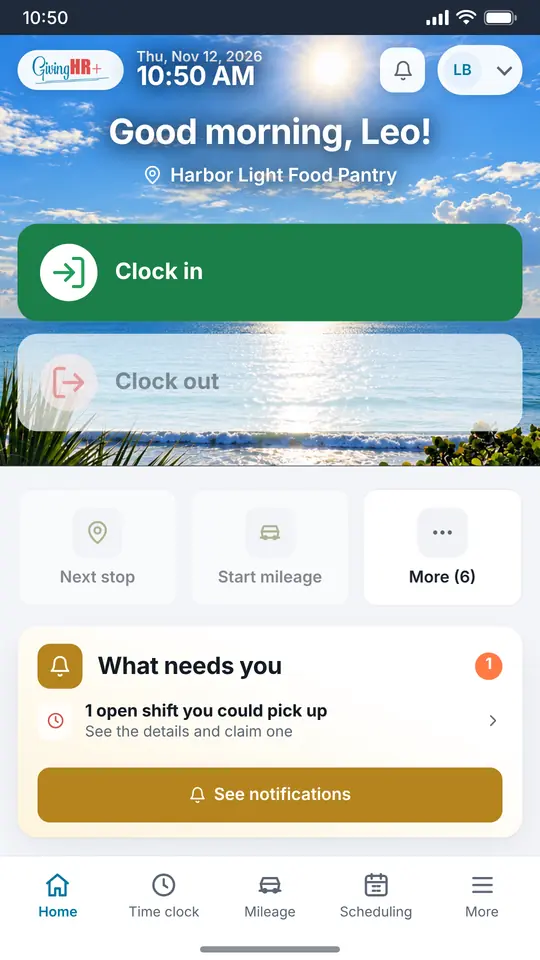
People clock in and out from a phone, a computer or a shared kiosk, with breaks and edits recorded along the way. People who do not punch can fill in a timesheet instead. Missed punches and overtime show up as alerts.
The kiosk
For a front desk or a break room, one shared screen works as the clock for everyone. Each person types their own four digit PIN to clock in or out, and nobody has to sign in on the shared device. You can turn on an optional photo at each punch.
Tap tags
Key tags and wood cards open the clock with a tap on a phone, with no sign-in needed for the tap. The same tap can log a mileage stop. They can be ordered when you sign up, and the prices are further down.
Pay periods that arrive at payroll checked
This is where GivingHR+ meets payroll. At the end of each pay period, GivingHR+ shows a checklist that says when the period is clean enough to send.
- Exceptions, like a missed punch, are fixed right on the row where they show up.
- People confirm their own time.
- Hours worked sit beside hours scheduled, so the gaps are easy to spot.
- When it is ready, the period goes to payroll as a file of hours, and the period locks so nothing changes after the fact.
Pay schedules include holidays, you name your own payroll contacts, and approved mileage and expenses travel with the hours.
Scheduling
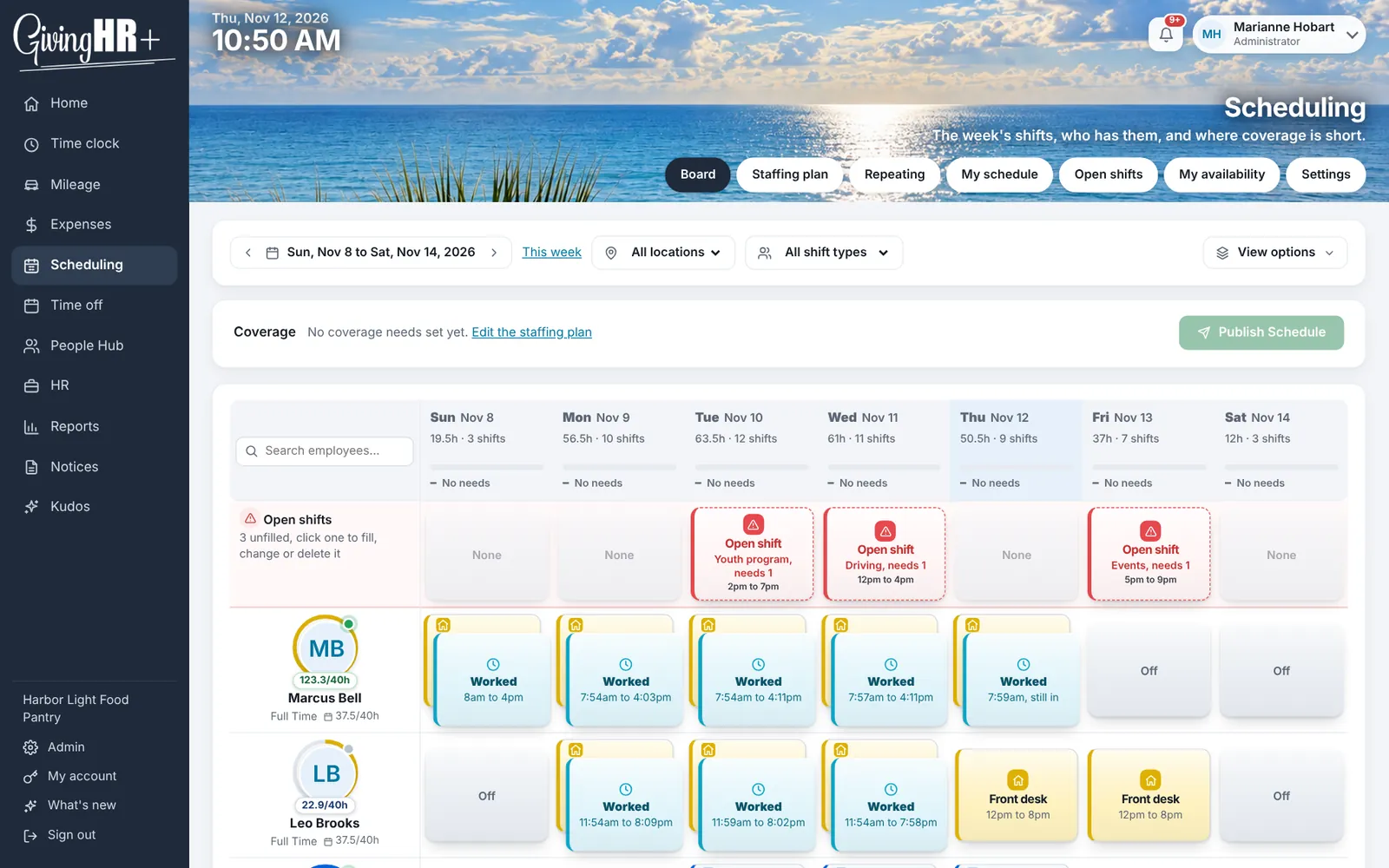
Build the week's shifts, publish them, and let people pick up open shifts and swap with each other once a manager says okay. Shifts can be dragged and dropped, saved as templates and repeated. You can set coverage needs, and one button fills the gaps.
Time off
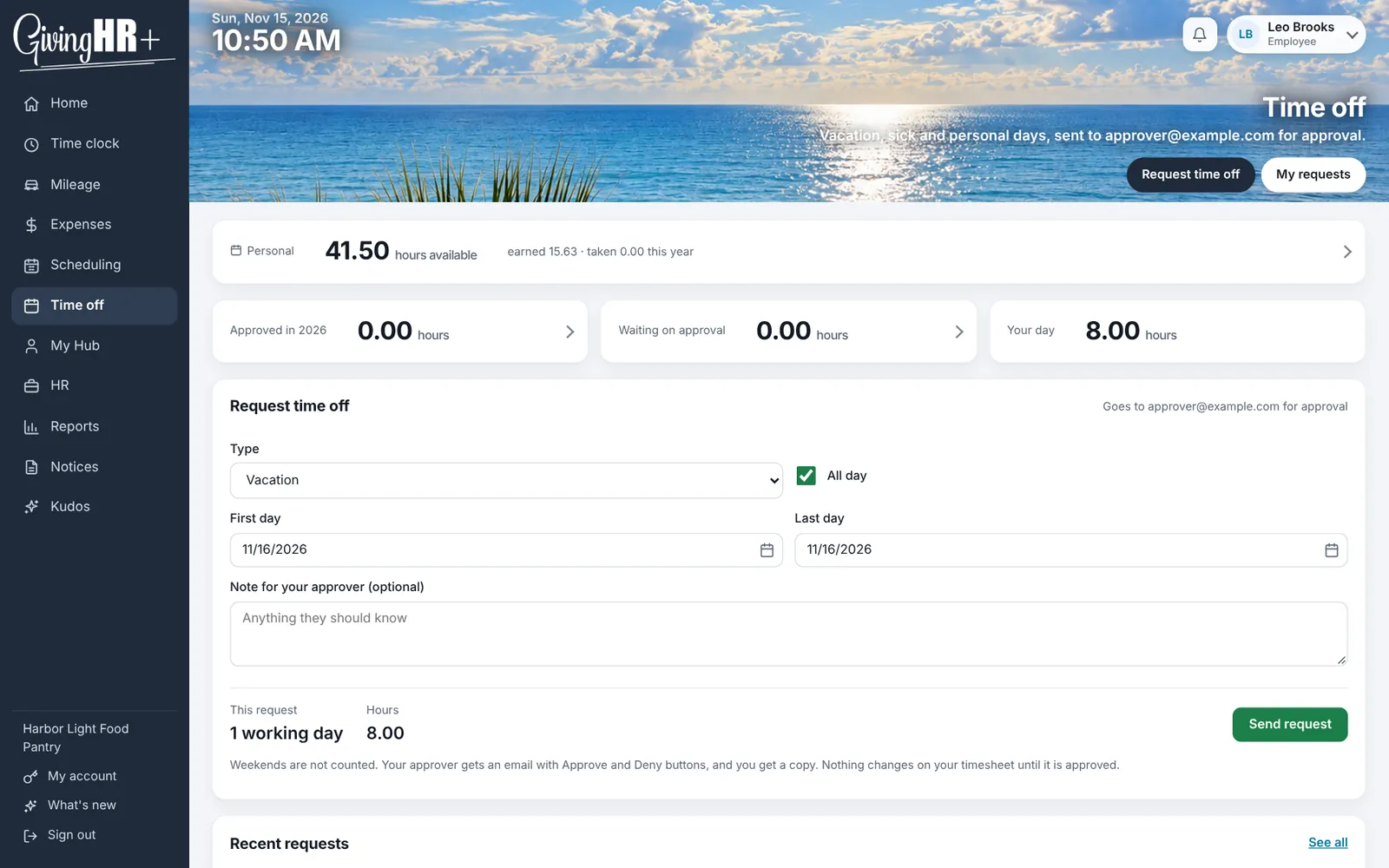
People request time off, managers approve it by email or in the app, and everyone can see their balance. Accrual plans build balances the way your own policy does, and you can set allowances for things like bereavement days. Payroll is told what was approved.
Mileage and expenses
For teams that drive and spend money on the job. Switch on either one, or both.
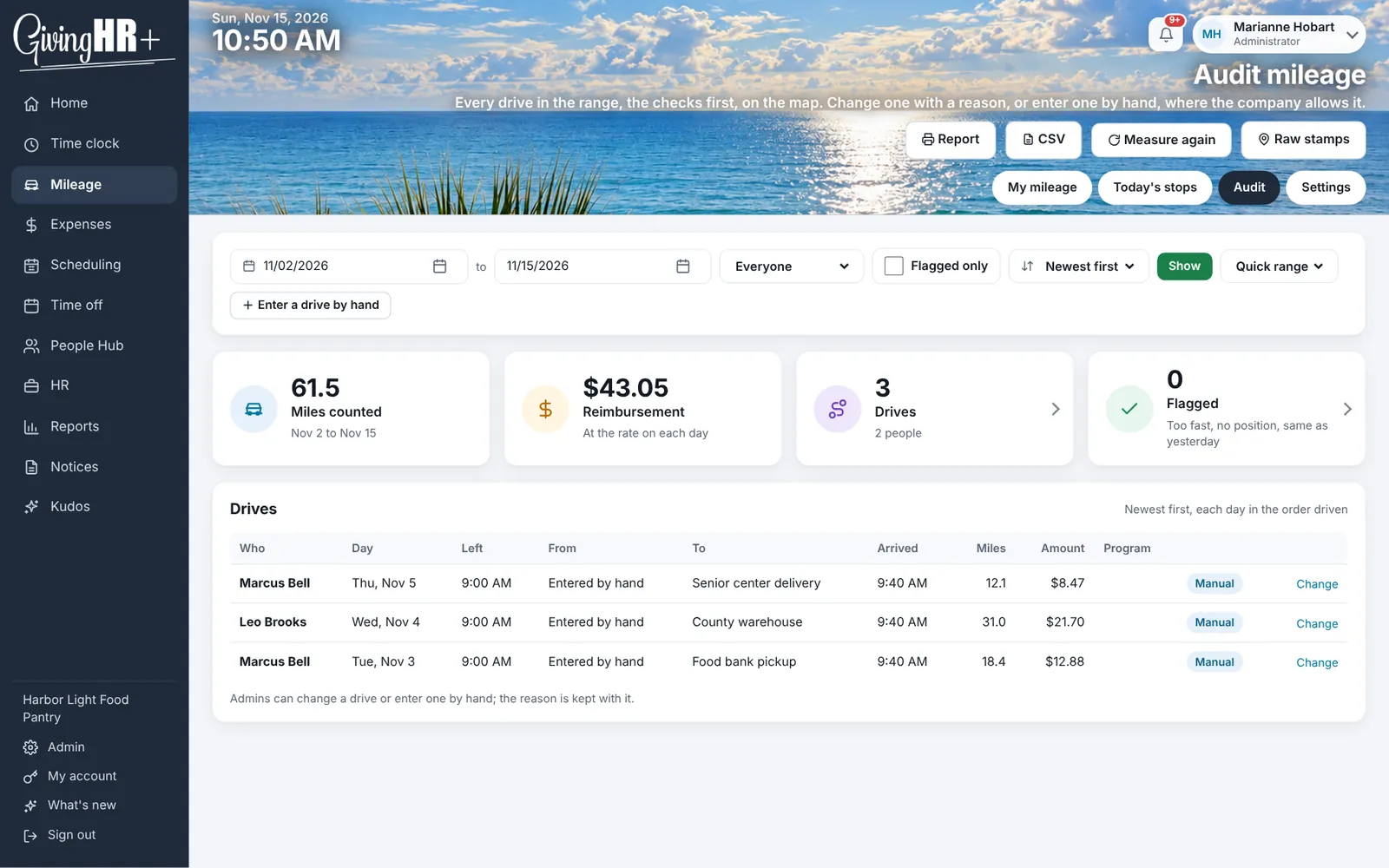
Mileage logs trips stop by stop, on a phone or with a tap tag, and measures the distance by road for you. Reimbursement uses the IRS rate, with the charitable rate for volunteers, and a report totals it by person and by program.
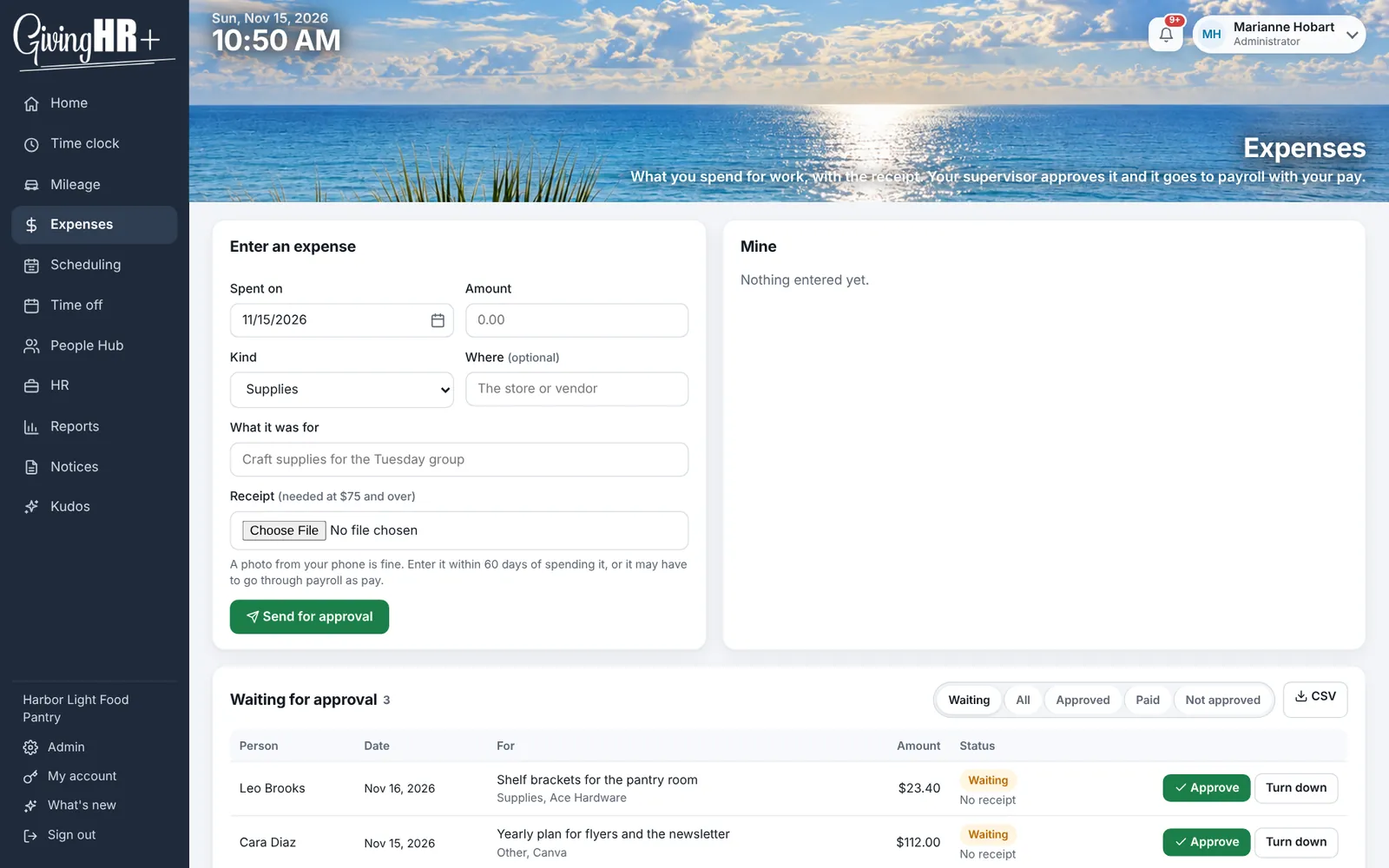
Expenses lets people photograph a receipt and submit it. A manager approves it, and the total is ready for reimbursement.
Home, People Hub, Kudos and Notices
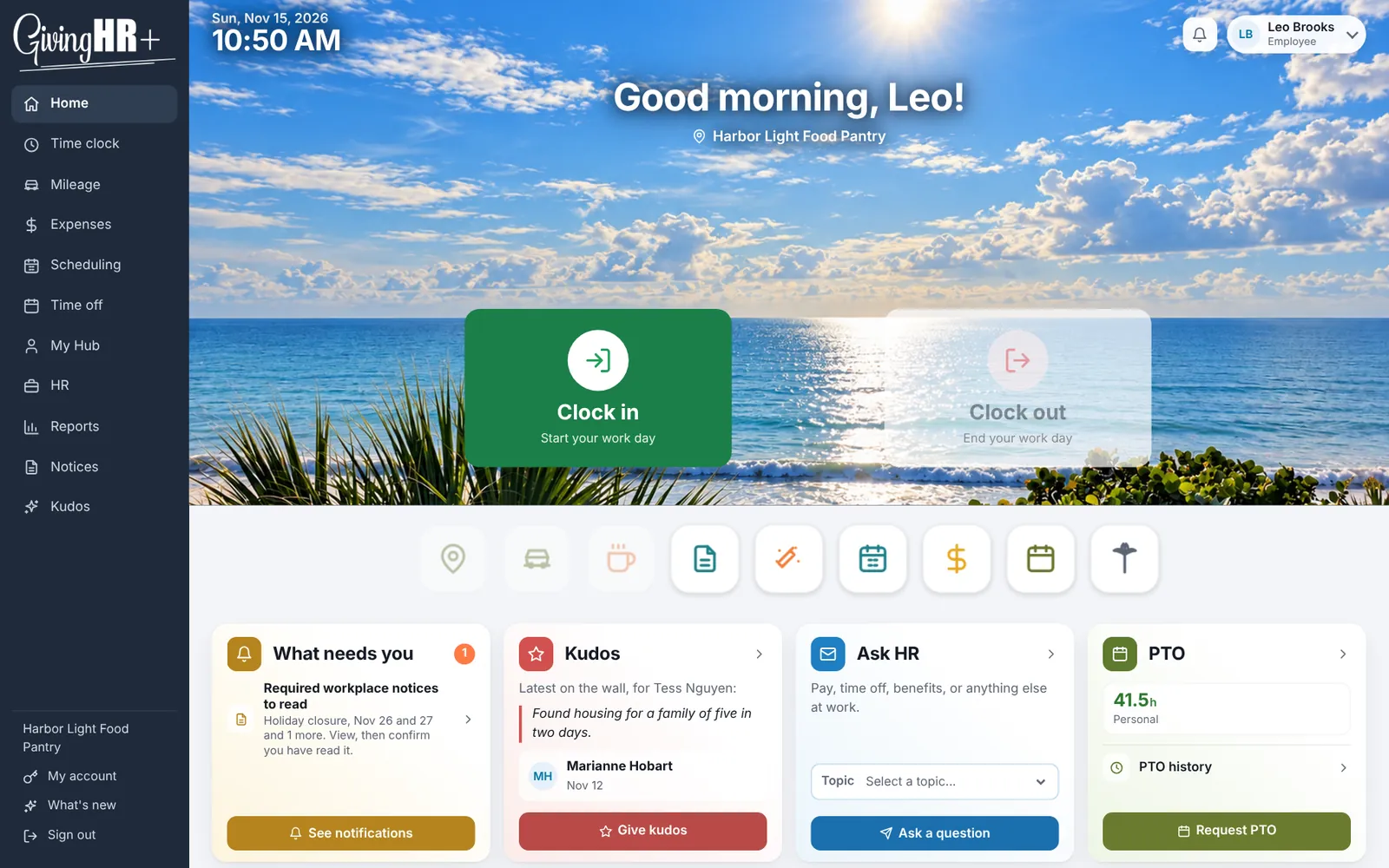
Home is the first screen, shaped by what each person does: what needs them in one list, today's hours and the week so far. Managers can message their team by email and in the app's notification bell, and a weekly summary email goes out.
People Hub is the one place a person is entered and edited. Everyone gets a card, and you can import from a spreadsheet. It holds employees and volunteers, and it has an org chart you can rearrange by dragging. Everyone else sees it as My Hub, with their own record.
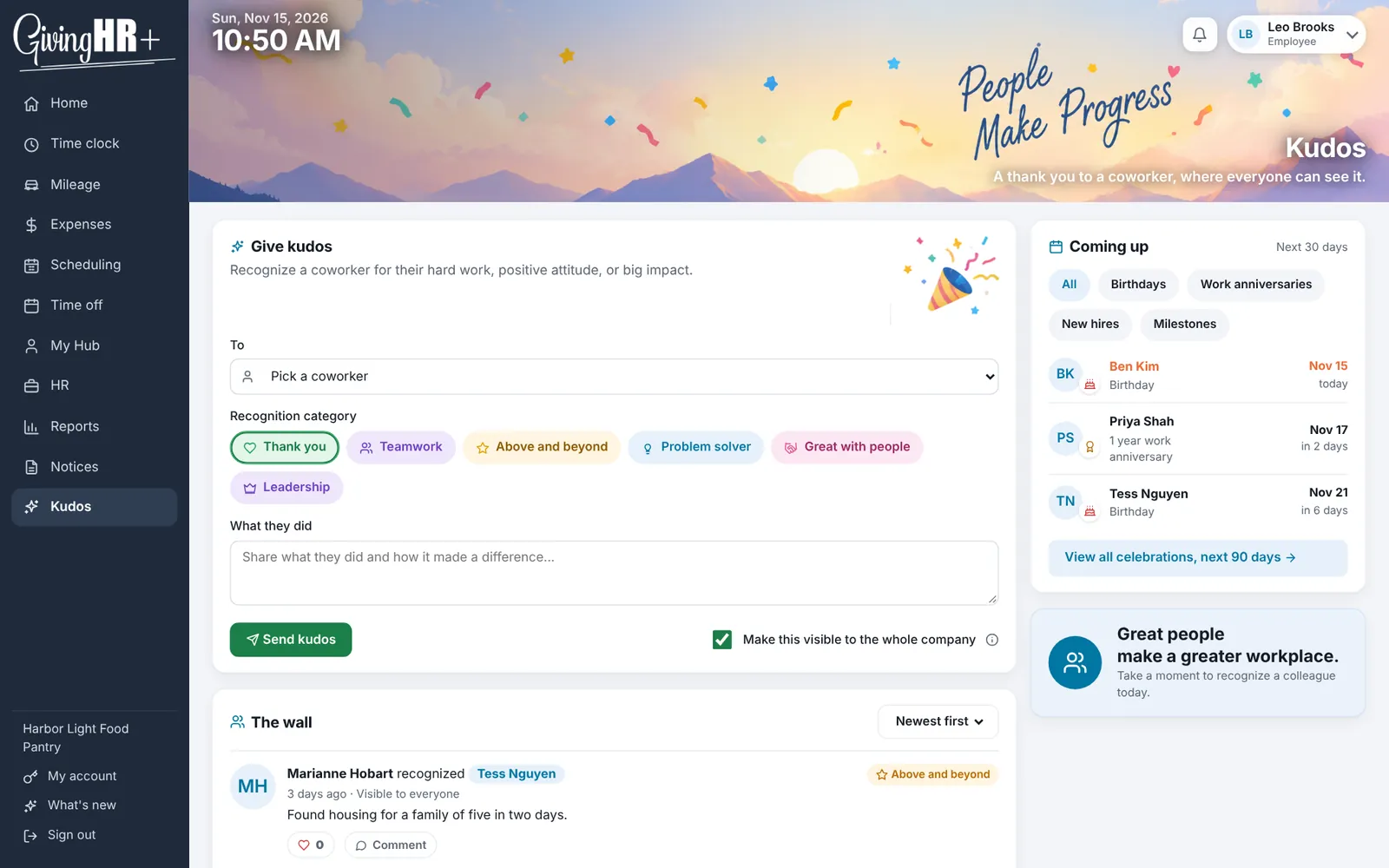
Kudos is a thank you in front of the whole team, on a shared wall, along with birthdays, work anniversaries and employee of the month.
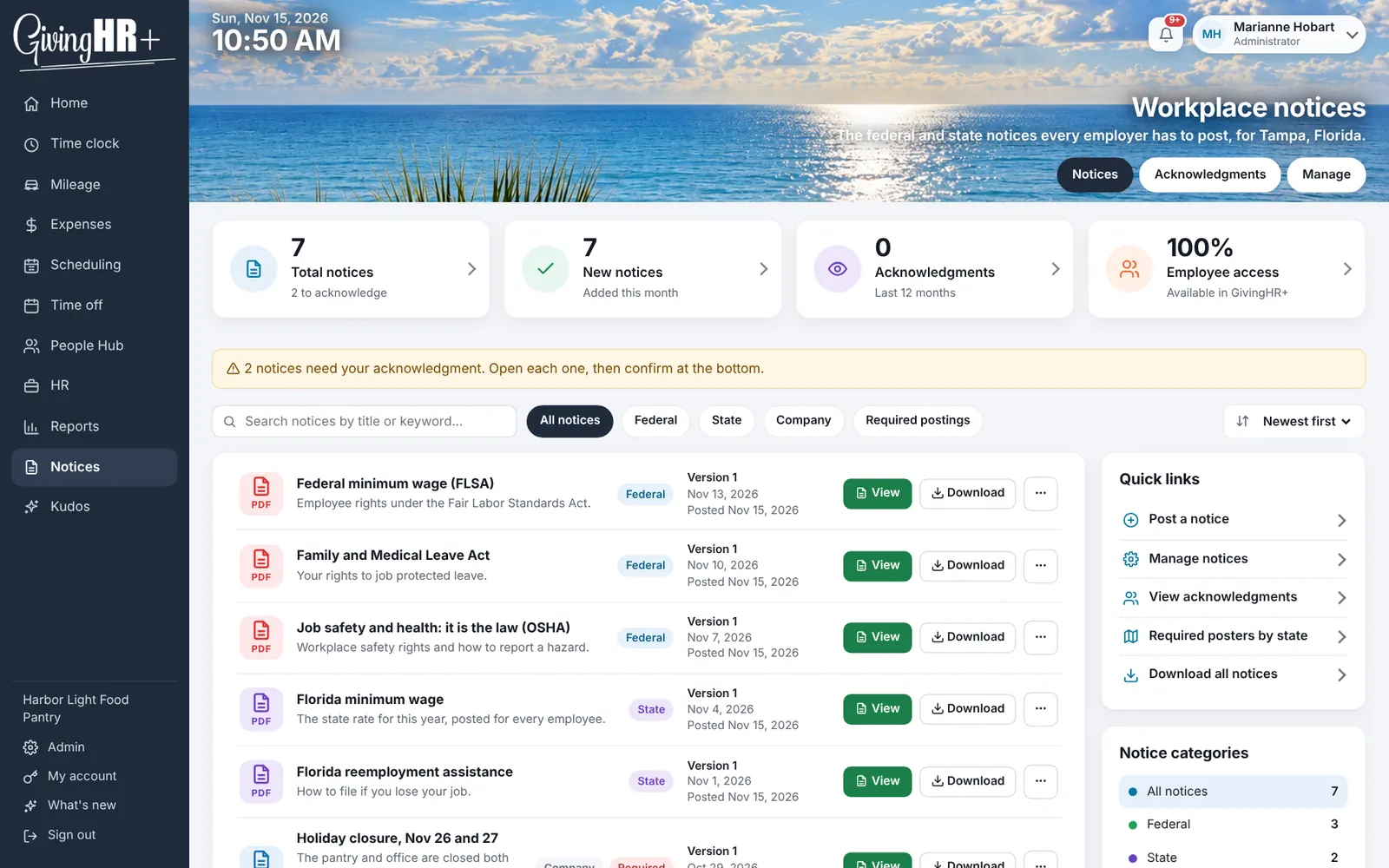
Notices holds the required workplace posters for your state and the federal ones, and company announcements that people confirm they have read.
Report a concern
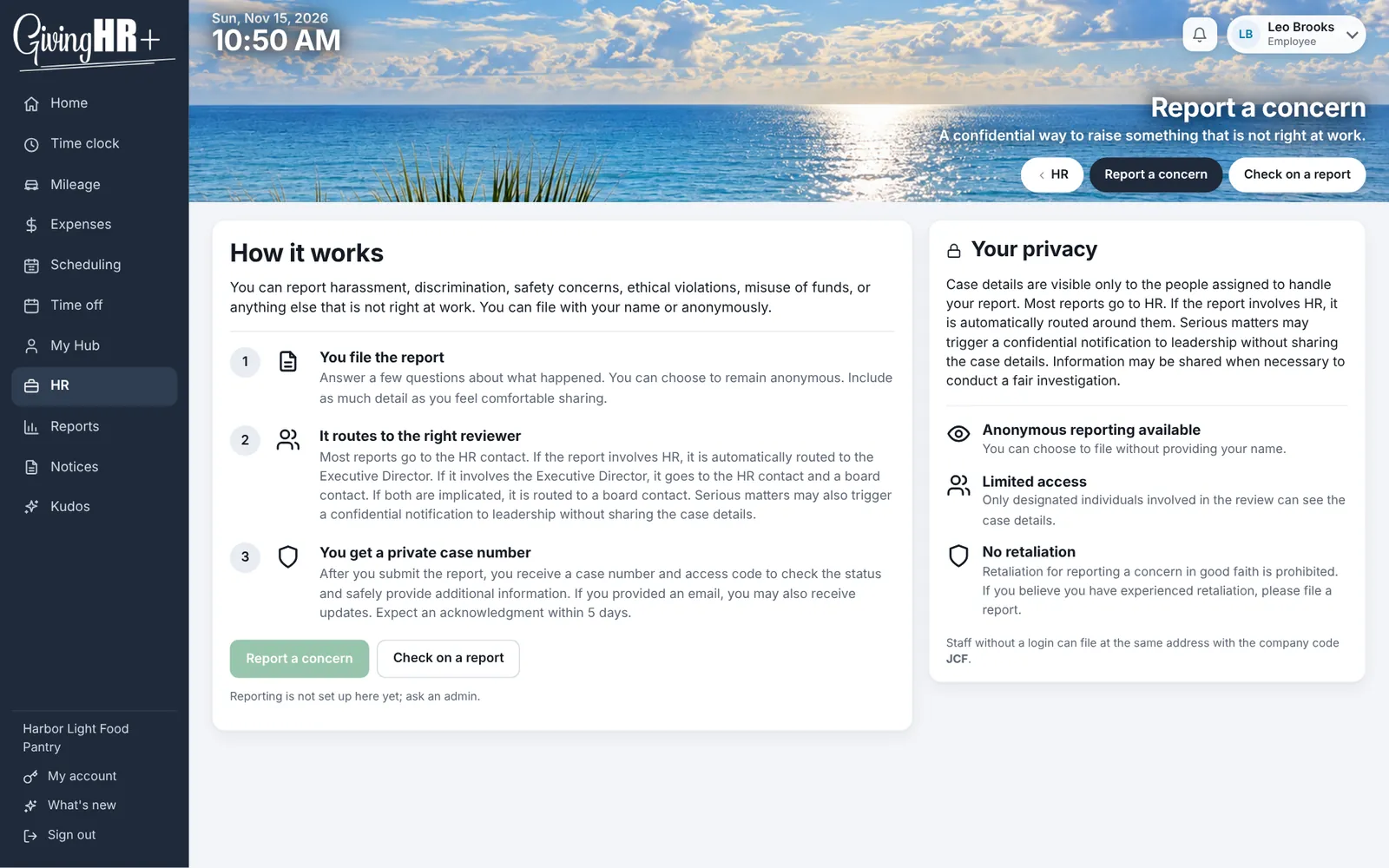
Anyone can raise a workplace concern, with their name or anonymously. You choose who it is routed to, and the person who reported it gets a code to check back for a private follow-up.
Technology and equipment
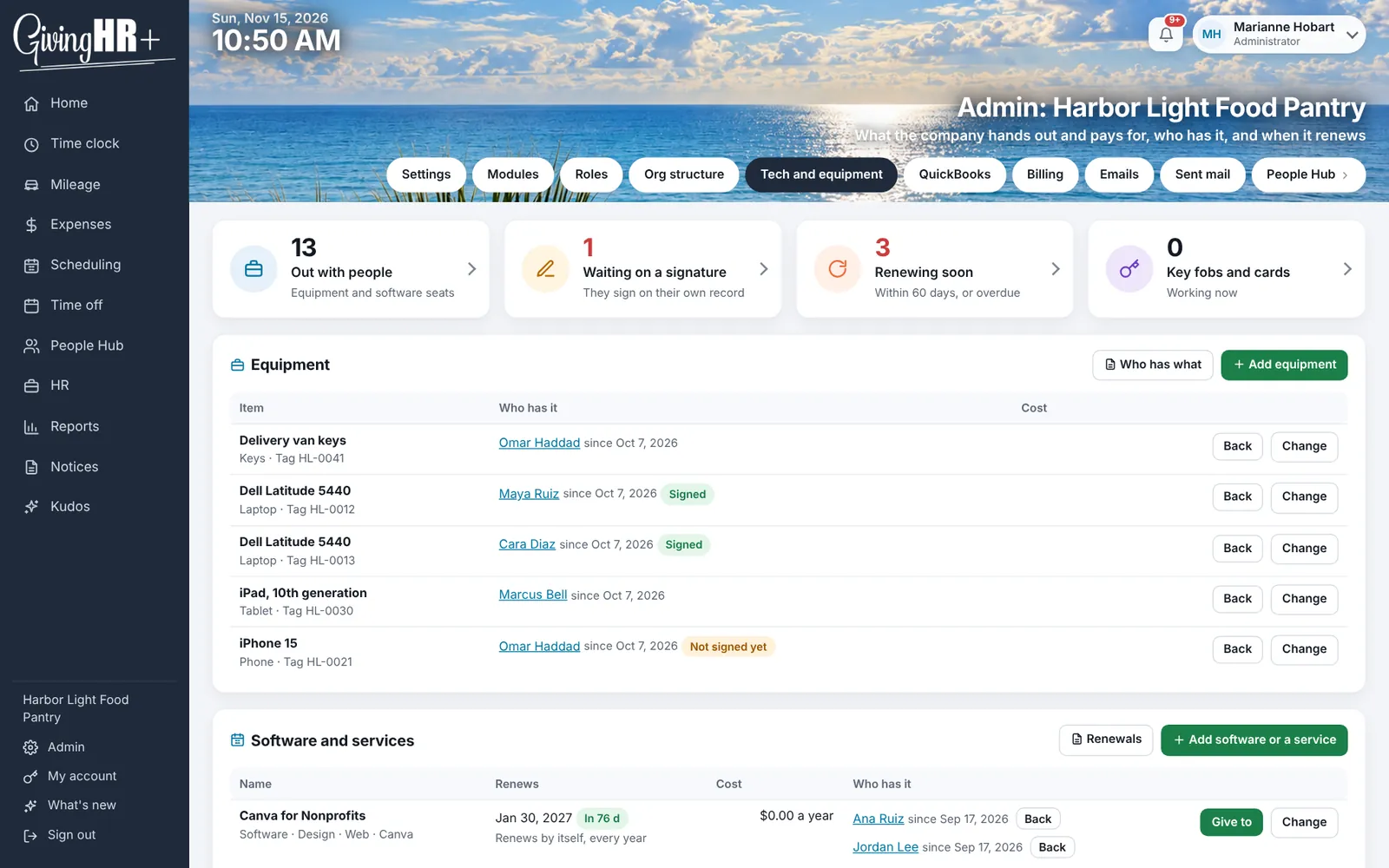
Laptops, phones, software and key fobs: who has what, what they signed for, and when each subscription renews. People sign for the equipment they are given, and reminders go out when something is up for renewal.
HR
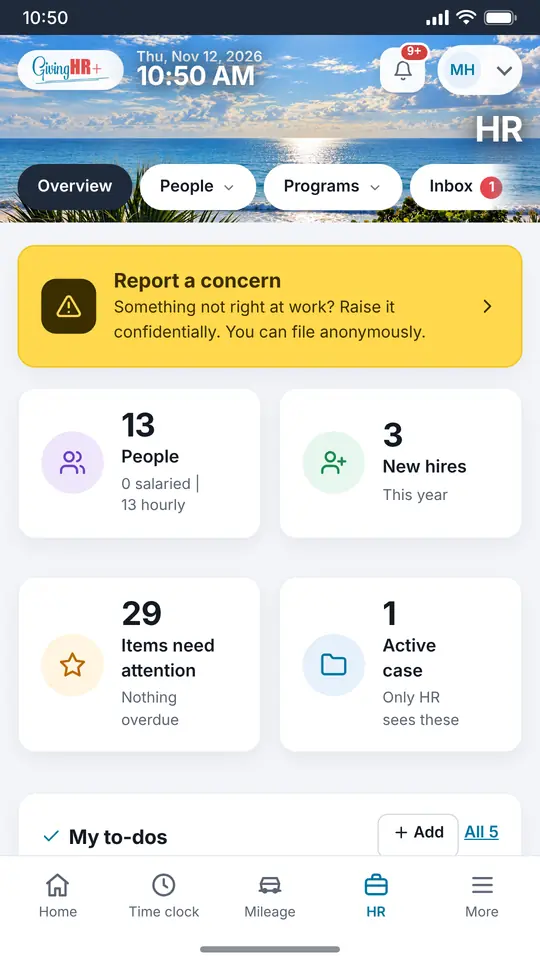
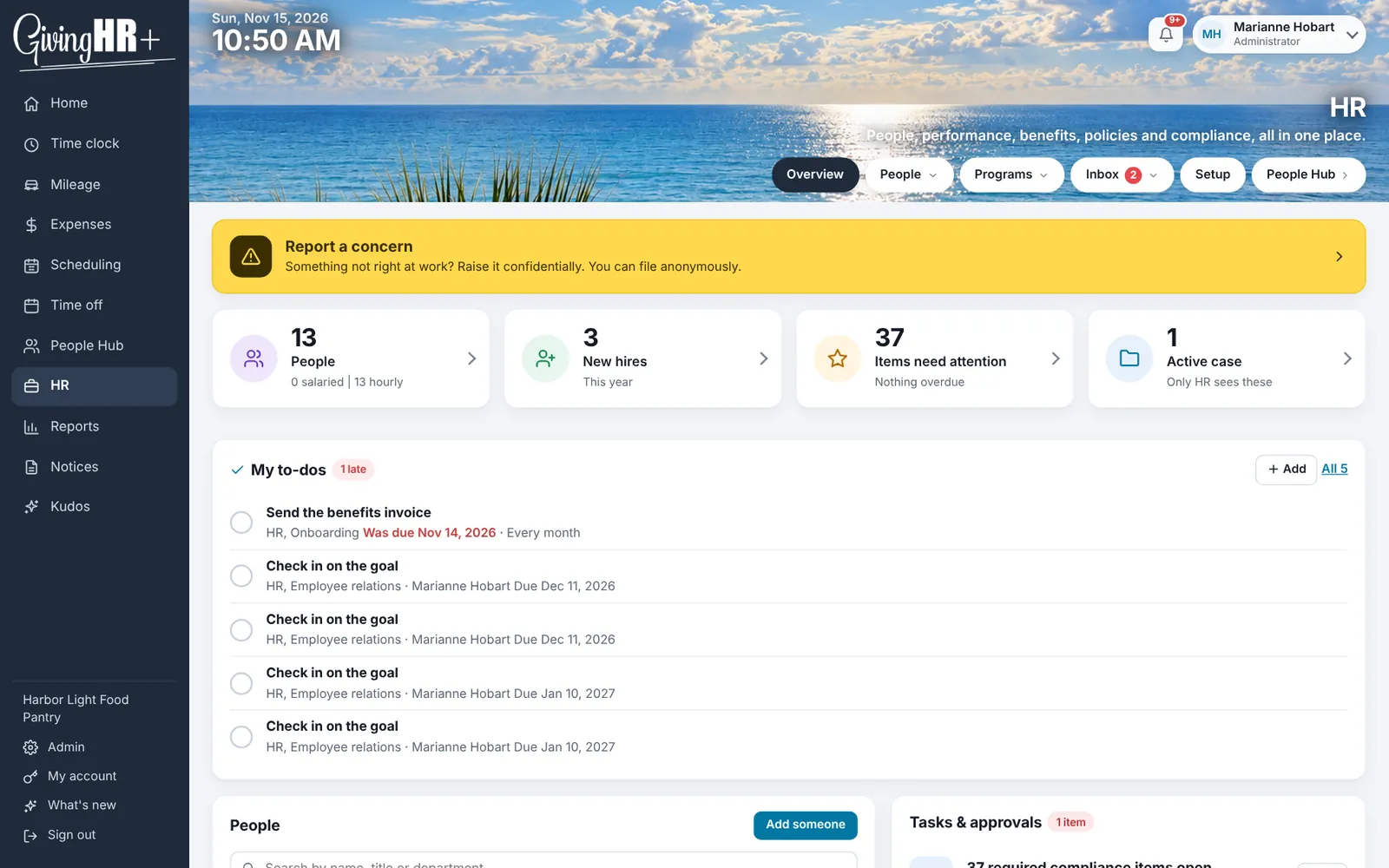
The HR tools cover the work an HR manager carries, with the private parts kept private.
- Reviews on your own cycle, whether that is the calendar year, each person's anniversary or your fiscal year, with self, supervisor and peer reviews, your own questions, and reminders before they are due.
- The record on each person's page: notes, coaching, warnings, improvement plans and commendations. Supervisor write-ups go to HR first. Next steps get an owner and a date, and growth goals get check-ins.
- Onboarding and offboarding lists for everyone starting and everyone leaving, built from your own lists with real dates. New hires see their own items, the final pay date follows the state's rule, and payroll is told.
- Policies, benefits and compliance: the handbook with sign-off, benefits with renewal notices, licenses and certifications with expiry reminders, and a checklist for your size and state, with state rules beside the federal baseline.
- Cases and Ask HR: a private case log and HR file for each person, and a way for anyone to ask HR a question, named or anonymous, with escalation to the executive or the board when it is needed.
- To-dos for HR, benefits and payroll, including ones that repeat after each payroll, with someone to tell if one runs late. There is a starter list for a 401(k) plan.
Policies, notices and law summaries in GivingHR+ are general information, not legal advice. If you want people to do this work with you, see Managed HR below.
Reports
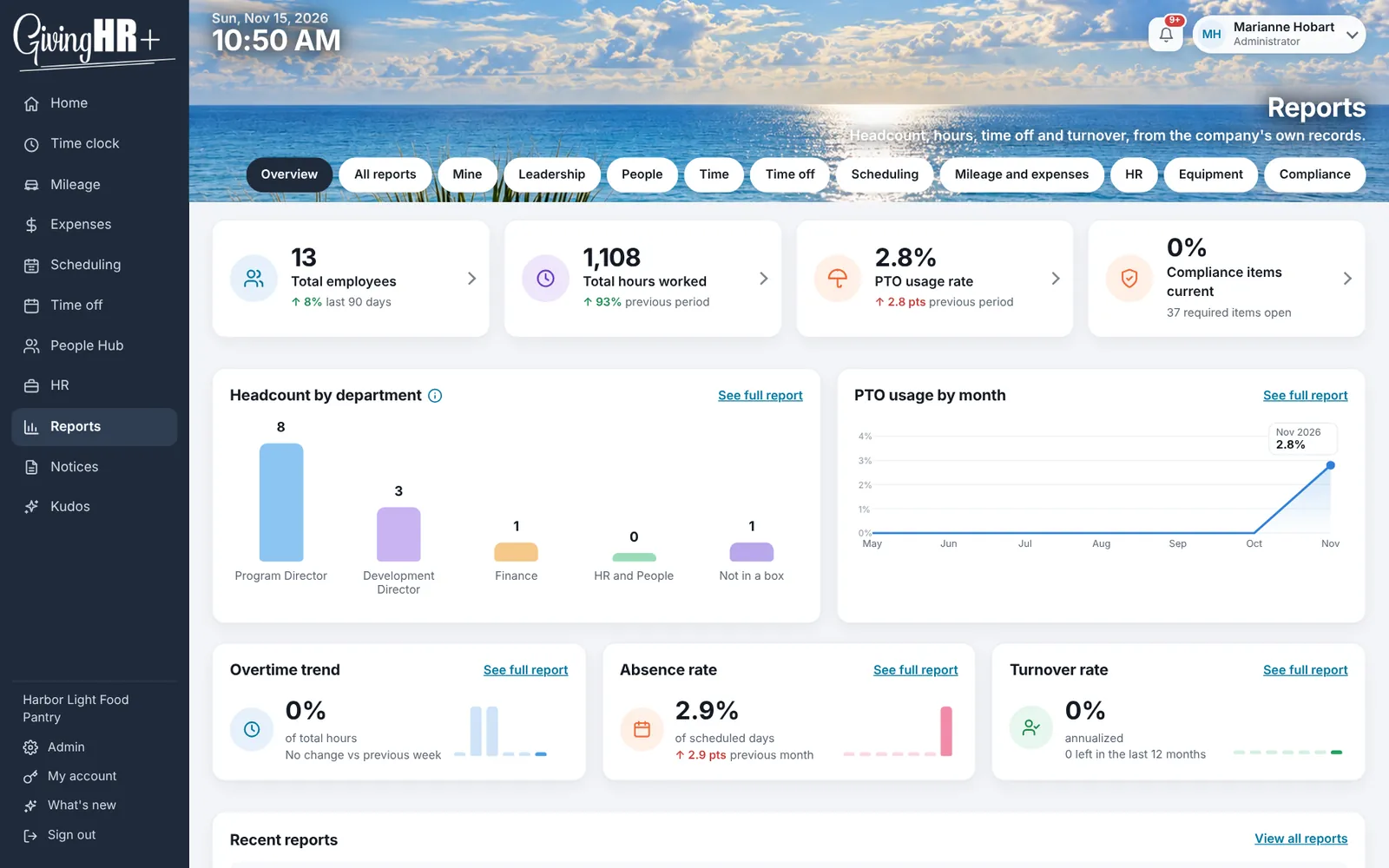
Every report runs on screen and downloads as a spreadsheet, and each person sees only the ones their role allows. Managers and leadership get hours by employee and by program, punch exceptions and time card changes, time off balances and the time off log, headcount, turnover and the health of the company. Everyone else gets their own: their hours and punches, their time off balances, their mileage and expenses, without having to ask anyone.
Programs, grants and QuickBooks Online
For a nonprofit, hours are not just hours. They belong to a program or a grant, and your funders and your Form 990 both want to know which. GivingHR+ tracks hours by program, grant and site, split by the hours actually worked or by a fixed share. Clocking in can ask what the person is working on, and you can watch required hours over a window of time. Hours by program come out as a report.
If you use QuickBooks Online, you can connect your own company to GivingHR+. Each pay period, it can post the payroll allocation by program from the hours people really worked:
- Your programs are matched to classes in QuickBooks Online.
- Wages and employer taxes are moved by hours.
- An admin reviews each entry and posts it. Nothing is posted on its own.
- If you pay people through QuickBooks Payroll, hours can be sent as time entries.
With QuickBooks Online connected, GivingHR+ can also show a statement of functional expenses, split into program services, management and general, and fundraising, in the shape of Form 990 Part IX. It runs on screen, in print or as a spreadsheet.
GivingHR+ sends QuickBooks Online only what you choose and reads only what it needs to match, such as employees, classes and accounts. Review the entries before you rely on them in your books. You can disconnect at any time, from GivingHR+ or from QuickBooks Online.
E-Verify, coming soon
The sign-up already has a box for it: Giving Payroll will act as your E-Verify employer agent and run new hires' cases for you. It is marked coming soon because it is not open yet. When it is, you will still be the employer, responsible for the Form I-9 and for your decisions on each case.
The phone apps
The Android app is on Google Play now, and the iPhone app is in Apple's review for the App Store. Both are free to download. Your organization pays for its GivingHR+ subscription, not for each installation.
The apps add phone notifications, and tap tags read with the phone's own NFC. On iPhone, Siri takes "Clock in on HR Plus". Everything also works in the phone's browser, with nothing to install.
Sign-in and security
People sign in with a password, an emailed link or a passkey, which can be Face ID, a fingerprint or a security key. Your company can require two-step sign-in. A lost phone never locks anyone out.
HR files and connections are kept encrypted. Kiosk PINs are not stored as they were typed. Card numbers never reach GivingHR+ at all: they go straight to our card processor, Intuit Payments Inc.
Severe weather warnings
GivingHR+ checks the National Weather Service every 15 minutes for warnings near your sites, people's homes and their drives, and gives you one place to send a message to the people affected.
What it costs
The price is a platform fee plus a fixed amount for each active employee, every 30 days. Every tool on this page is in the price. Nothing is sold as an add-on.
| Plan | Platform fee, every 30 days | Each active employee, every 30 days |
|---|---|---|
| Small business | $39 platform fee | $4 for each employee |
| Nonprofit | $29 platform fee | $3 for each employee |
| Nonprofit using Giving Payroll | $19 platform fee | $3 for each employee |
Nonprofits and faith-based organizations are on the nonprofit plan. For example, a nonprofit with 25 people pays $29 plus 25 times $3, which is $104 every 30 days. Sales tax is not included where it applies.
The 14 day trial
If you pay every 30 days, the first 14 days are free. Nothing is charged at sign-up except tap tags, because they ship. People you add during the trial are free. The first charge is on day 15, and from then on the card on file is charged every 30 days until you cancel.
Paying for the year
At sign-up you can pay for the year instead, in one charge: 12 times the 30 day price for the number of people you enter, less 10%. That same nonprofit with 25 people would pay $1,123.20. There is no free trial on a yearly plan, but the first year runs 395 days, a year plus 30 extra days. If you cancel within 30 days of paying for the year at sign-up, all of it is refunded, apart from tap tags.
People added during a paid year are counted every 30 days, and anyone above the number you paid for is charged the full per person price, with no discount, for each month left in the year. Fourteen days before the year ends, we email you the date and the amount.
Refunds
Tell us within 7 days of any payment that you want your money back, and we refund all of that payment. That applies to every payment, not only the first one, including yearly renewals.
Tap tag prices
Tap tags are the only thing that costs extra. Both are engraved with the Giving Payroll logo and are yours once delivered.
- NFC key tags, for a key ring: $2.50 each.
- Wood NFC cards, wallet size: $5.00 each.
- Shipping: $9.99 per order, however many pieces are in it.
Because they are engraved for you, tags are refunded or replaced only if they arrive damaged or wrong, and you tell us within 7 days of delivery.
How sign-up works
Sign-up takes about five minutes, and you do not enter any employee records on it.
- Tell us about your organization: its name, type, address, how many people work for you and the states they work in.
- Tell us who you are. You are the first person to sign in and the one who sets things up, and your work email becomes your sign-in. Name your payroll contact, or tick that it is you.
- Set up payday, if you want to now: how often you pay, the next check date, and how many business days before it the hours are due. You can also do this later inside GivingHR+.
- Choose your tools. Home, People Hub and Admin come with every account. Everything else starts switched on, and you untick only what your team will not use. You can change any of it later. This is also where you order tap tags.
- Add a card and choose to pay every 30 days or for the year. On the 30 day plan nothing is charged that day, apart from any tap tags.
You choose your password on the very next screen, with no waiting for an email, and land in your new company ready to add your people.
GivingHR+ and Giving Payroll's payroll service
GivingHR+ works with any payroll. It also works with ours, and a few things change when Giving Payroll runs your payroll:
- A lower platform fee. A nonprofit whose payroll Giving Payroll runs is on the Giving Payroll plan, $19 instead of $29. A nonprofit that is moving its payroll to us pays that price from the start, and has 30 days to start payroll with us.
- Managed HR includes it. If you would rather have people do the HR work with you, Managed HR includes GivingHR+ software at no separate subscription charge.
- Managed Payroll does not. GivingHR+ is a separate subscription alongside Managed Payroll.
Our payroll itself is run through ADP and SurePayroll, with prices published on the home page. You get one account manager who knows your organization, and the hours you send are the hours you checked.
If you leave
You can cancel at any time. The service runs to the end of what you paid for and then stops renewing. You can download your reports while it is active, and after it ends we keep your data for 90 days in case you come back, then delete it, except where the law says we have to keep something longer. The full details are in the Terms of Service.
Where to go next
See the screens and work out your price on the GivingHR+ page, or go straight to the GivingHR+ sign-up. If you have a question first, call 877-245-0345. A real person answers.
Prices and terms here are the ones published on November 16, 2026, on the GivingHR+ page, the sign-up and the Terms of Service. If they ever differ, the price on the sign-up page when you sign up is the one that applies.
Want a walk through first? 877-245-0345 or sales@givingpayroll.com. Or start your GivingHR+ sign-up.